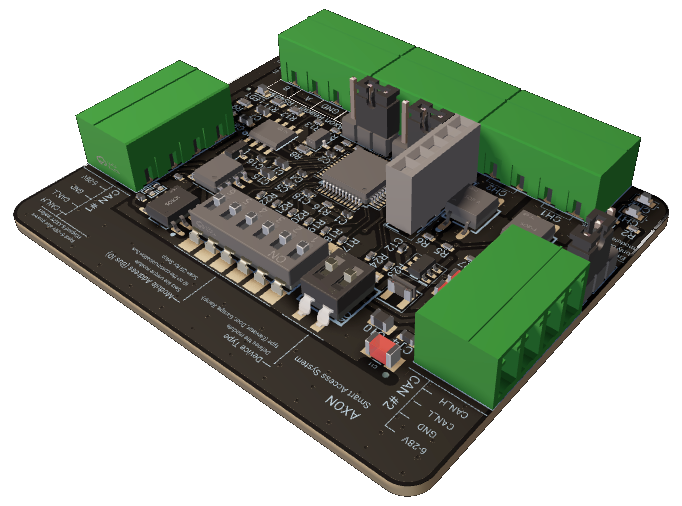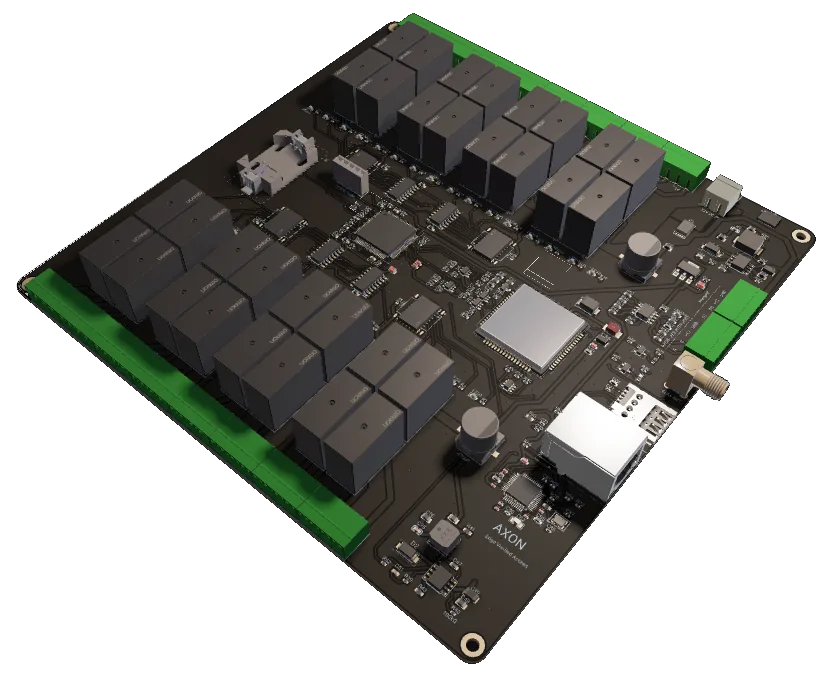
- Role: Cabin master
- Floors: 32 (48 / 64 optional)
- Comms: GSM + Ethernet + RS-485
- Power: 12-24V DC
- Temp: -20°C to +70°C
- Made in Kosovo
- Updated: 2026-05
AXON CCU-32 is the cabin-mounted master controller for elevator access control. It validates RFID credentials locally against an on-device permission database, enables only authorized floor destinations on the elevator panel, and operates without network dependency. It supports redundant communication (GSM cellular, Ethernet, RS-485), accepts both Wiegand-26 legacy readers and the AXON Encrypted Reader Protocol, and is engineered for the electrical and thermal environment of real elevator shafts in residential and commercial buildings.
01 — What the CCU-32 Does in the System
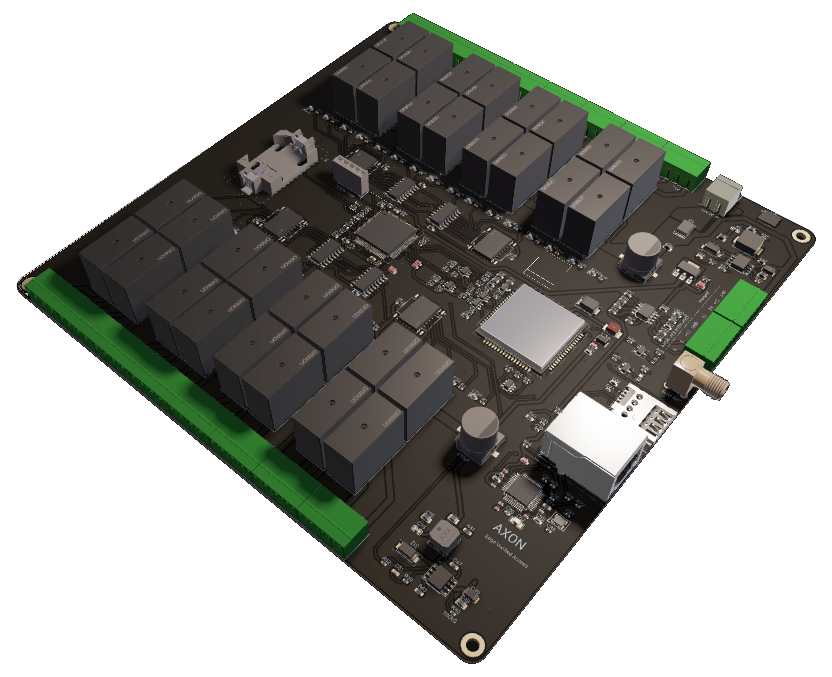
The AXON CCU-32 is the brain inside the elevator cabin. Physically it is a controller board mounted inside the cabin enclosure, wired to the cabin reader on the input side and to the elevator control system on the output side. Functionally it is the device that decides — on every credential presented — whether the elevator should enable a given floor button for that user.
Three responsibilities sit on the CCU-32. First, it owns the floor-permission database for the building: which credentials can reach which floors, during which time windows, under which operational modes (normal, lockdown, fire, maintenance). Second, it executes the per-tap authorization decision inside a deterministic latency budget so the cabin feels responsive to residents and staff. Third, it logs every event with timestamp, credential ID, requested floor, and outcome — for security audit, dispute resolution, and operational observability.
What the CCU-32 does not do is also worth being explicit about. It does not control the physical drive of the elevator car (that remains the elevator manufacturer's controller's job, contacted via dedicated outputs). It does not handle building-wide access policy across multiple cabins or entrances (that is the role of the AXON Access Management System upstream). It does not need a cellular or Ethernet uplink to authorize a credential — those interfaces exist for synchronization, audit upload, and remote management, not for the critical path.
The boundary line between the CCU-32 and the rest of the system is intentional. By keeping the cabin self-sufficient for the authorization decision, the elevator stays operational during network outages, ISP problems, or central-server maintenance. The cabin keeps working even if the building's IT is fully down — a baseline that residents and emergency services expect from elevator infrastructure.
02 — Required Components and System Layout
| Part | Role | Notes |
|---|---|---|
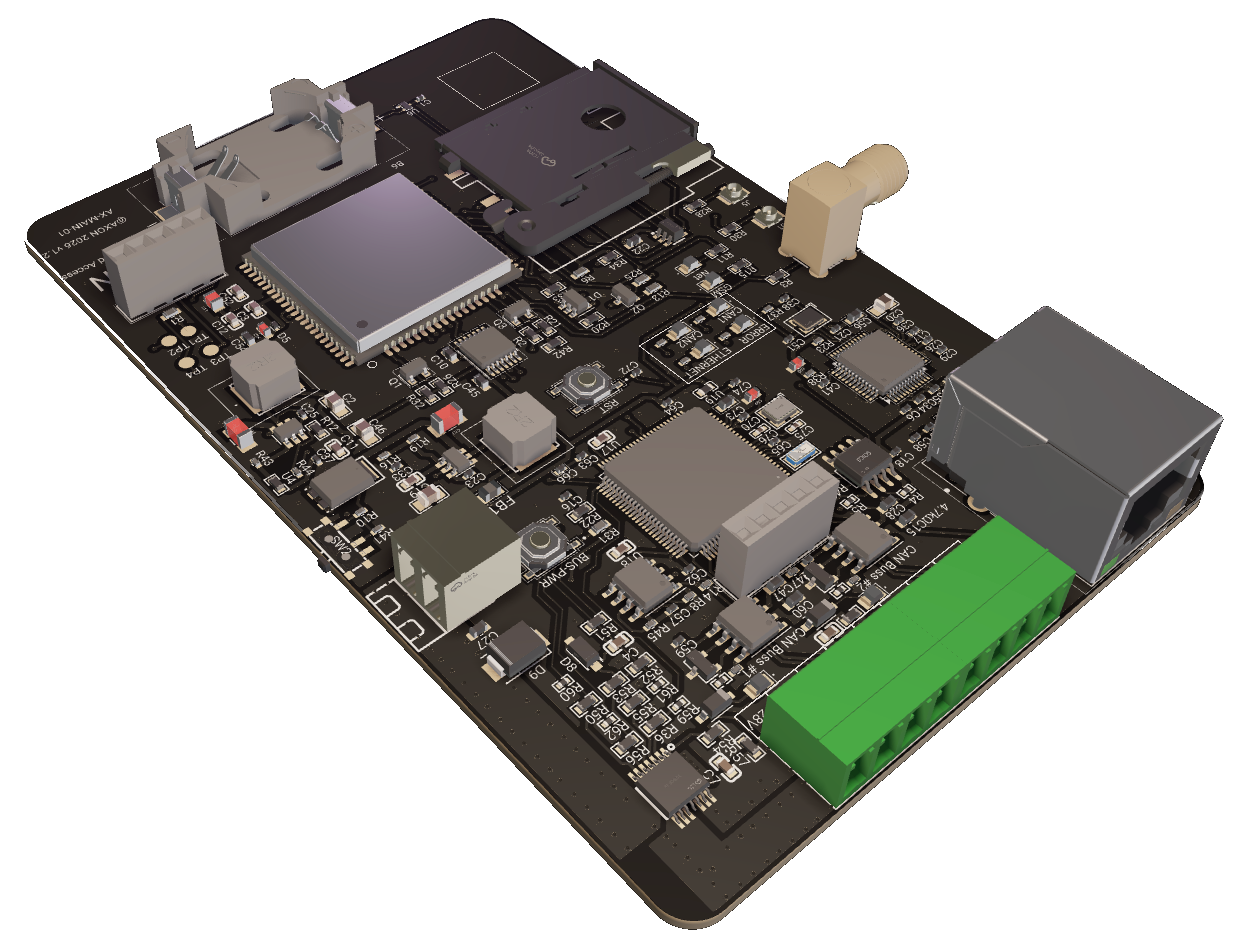
| STM32 MCU | Main processor | Local validation, communication stack, OTA bootloader. |
| Cellular module | GSM uplink | LTE Cat-1 or Cat-M variant depending on order. |
| Ethernet PHY | 10/100 Mbps wired uplink | RJ-45 connector for structured cabling. |
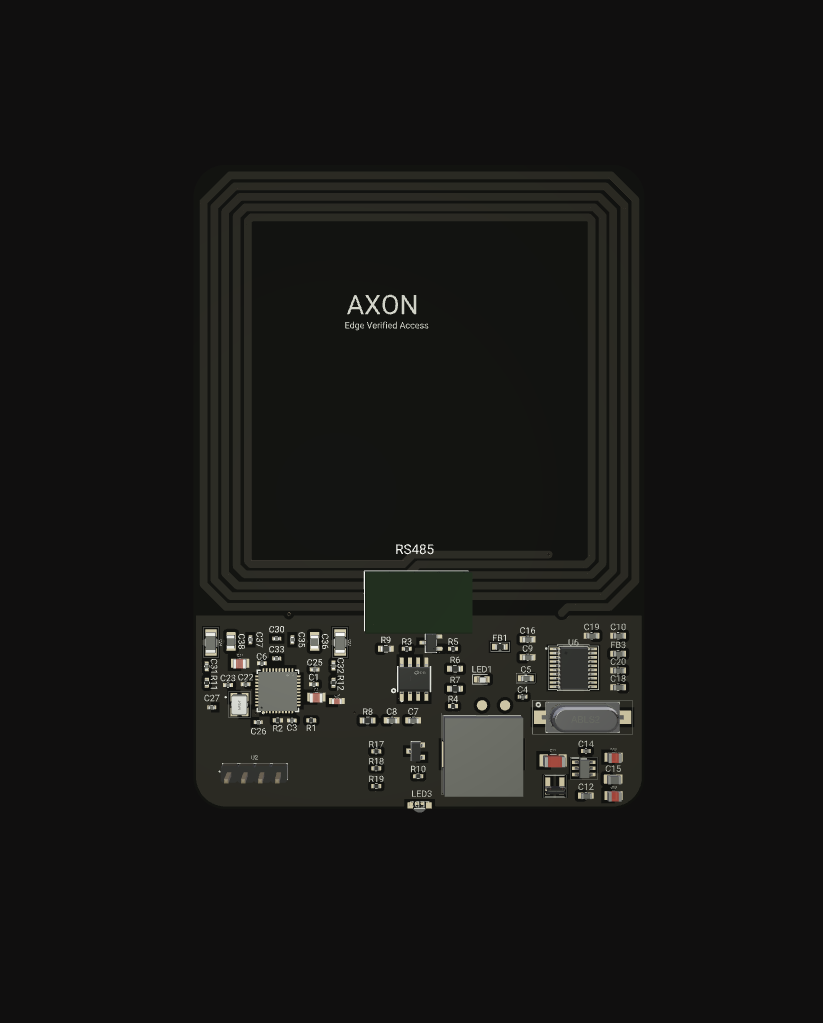
| RS-485 transceiver | In-cabin bus | To cabin reader, peripheral modules, optional in-cabin nodes. |
| Cabin reader | Card input | Wiegand-26 reader (legacy) or AXON Encrypted Reader. |
| Floor enable outputs | To elevator controller | One enable line per floor; 32 per unit, chainable for taller buildings. |
| Power conditioning | Reverse polarity, TVS, surge | For the electrically noisy elevator-shaft environment. |
| Hardware watchdog | MCU IWDG | Resets the MCU on firmware hang. |
Why these specific design choices
Choosing the cabin as the location for the master controller — rather than the machine room or the building's central network closet — is a security and resilience choice. The cabin reader, the cabin controller, and the elevator interface all live in the same Faraday-cage-like steel enclosure with controlled physical access. Communication between them stays inside the cabin and never crosses untrusted building infrastructure. The CCU-32 therefore does not depend on building network availability, IT department maintenance windows, or third-party power circuits to keep the elevator working.
The 12-24V DC input range matches the auxiliary low-voltage supplies that elevator manufacturers typically have available inside the cabin. The 3-6W consumption envelope ensures the CCU-32 does not strain those supplies even on the most modest elevator cabin auxiliary rail.
03 — How the CCU-32 Works End-to-End
The operational loop runs every time a user presents a credential to the cabin reader:
- Credential capture. The cabin reader transmits the credential ID to the CCU-32 over either Wiegand-26 or the AXON Encrypted Reader Protocol over RS-485, depending on reader type.
- Local validation. The CCU-32 looks up the credential in its on-device permission database: does this user exist, is the credential active, is the current time inside any allowed access window?
- Policy evaluation. If the credential is valid, the controller determines which floors the user is allowed to reach (their home floor, common areas, garage levels, etc.) and which floors must remain disabled.
- Floor enable command. The CCU-32 raises the enable signal on each authorized floor's output line for a short time window, allowing the user to press only those floor buttons on the elevator panel.
- Event log. The result — credential ID, requested floor, outcome, timestamp — is appended to the local event log.
- Sync (best effort). If a network uplink is available, the event is forwarded to the AXON AMS for centralized audit. If not, it stays in the local log until the next sync.
The total time from credential capture to floor enable is targeted to feel instantaneous to a user — the cabin should respond as if the elevator simply works the way it always did. From a system perspective, the controller does not block on any remote call to make the decision; the entire critical path stays on the device.
04 — Communication Architecture: Three Channels, One Job
Ethernet — the primary wired link when present
When the building has structured cabling reaching the elevator machine room (or the cabin via the trailing cable bundle), Ethernet 10/100 Mbps (IEEE 802.3) is the preferred uplink. It provides high bandwidth for OTA firmware updates, low-latency event synchronization, and the easiest IT integration path. The CCU-32 expects a static or DHCP-assigned address on the building's management VLAN.
GSM — the always-on fallback that does not require IT cooperation
Not every building has structured cabling reaching the cabin, especially in retrofit projects. Even in buildings that do, IT outages, switch failures, or VLAN changes happen. The CCU-32's cellular module — LTE Cat-1 or Cat-M as defined in 3GPP TS 36.300 depending on order — provides an independent uplink path. It is sized for the low data rates of access-control events and OTA firmware, not for video, so monthly data consumption stays modest. Cellular is also the lifeline channel for remote diagnostics when the building's IT team is unreachable.
RS-485 — the in-cabin bus
RS-485 (TIA-485-A) is the local interconnect inside the cabin. It connects the CCU-32 to the cabin reader (when using the AXON Encrypted Reader Protocol), to optional peripheral modules, and to any in-cabin floor-node modules in extended configurations. The RS-485 bus has very high noise tolerance, which matters in a cabin sitting next to elevator drive motors and inverter electronics.
SPI / UART — local peripherals
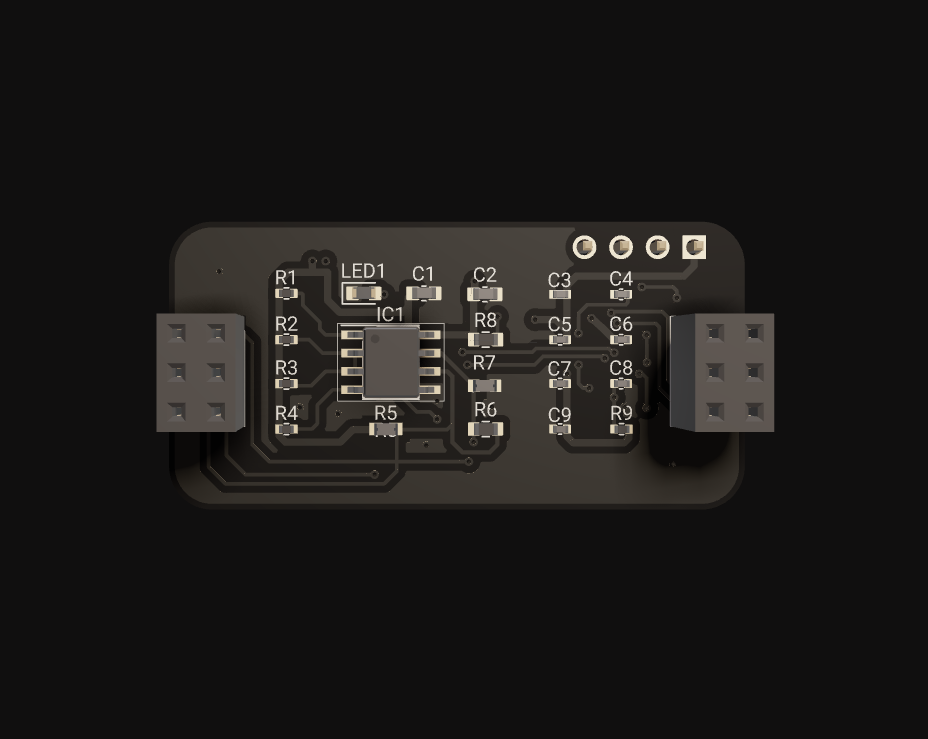
SPI and UART expose the CCU-32 to local peripherals: optional secure-element chips, display modules, and configuration consoles. These are not in the production communication path but provide flexibility during commissioning and integration.
Why three channels and not one
An elevator that stops working because the IT department is rotating switches is unacceptable to building residents. Redundancy across Ethernet, GSM, and the local RS-485 means the cabin keeps operating across the realistic failure modes that field installations actually experience: building network outages, ISP issues, IT maintenance windows, cellular tower problems, and individual cable faults. The cost of three radios on the same board is modest compared to the cost of a building elevator being down because a single uplink failed.
05 — Reader Compatibility: Wiegand-26 and the AXON Encrypted Protocol
The CCU-32 supports two reader protocols, deliberately chosen to cover both retrofit and new-build scenarios.
Wiegand-26 — for legacy reader migration
Wiegand-26 is the industry-standard reader protocol that has been in production access-control deployments for decades. It is simple, well-understood, and supported by virtually every off-the-shelf RFID reader on the market. The CCU-32 captures Wiegand-26 reads through its D0/D1 interface and validates the parity bits before extracting the facility code and card number.
Wiegand-26 is, however, not encrypted. The credential ID travels in cleartext between the reader and the controller, which means an attacker with physical access to the cabling can clone a card or replay a read with sub-€50 equipment. This is acceptable in retrofit scenarios where existing readers must be preserved during a phased migration, but it should not be the long-term reader protocol for new installations.
AXON Encrypted Reader Protocol — for new installations
The AXON Encrypted Reader Protocol runs over RS-485 between the cabin reader and the CCU-32. It uses cryptographic challenge-response with the reader (so a recorded transmission cannot be replayed) and end-to-end encryption of the credential payload (so wiretapping the bus yields nothing useful). For new installations or security-conscious upgrades, this is the recommended option.
Mixed deployments during phased upgrades
A building can run Wiegand-26 readers on some floors and AXON Encrypted Readers on others during a transition period. The CCU-32 handles both reader types transparently. This matters for budget-constrained upgrades where readers are replaced floor-by-floor rather than in a single capital expenditure.
06 — Security and Robustness Built In
Device-level encryption
The CCU-32's on-device permission database is encrypted at rest. An attacker with physical access to a board cannot simply read out the credential list with a JTAG probe and a flash dumper. The on-chip secure storage holds the database key, scoped to the device.
Cryptographically signed OTA updates
Firmware updates pushed over Ethernet or GSM are signed by AXON's release key. The bootloader verifies the signature against an immutable on-chip public key before activating the new image. If verification fails, the device rolls back to the previous known-good image. This protects against malicious firmware injected by an attacker with access to the uplink path.
Hardware watchdog (IWDG)
An independent watchdog timer resets the MCU if the firmware fails to refresh it within its timeout window. This protects against soft-locks caused by edge cases in field firmware behavior — a reset that takes milliseconds is preferable to a cabin that stops responding to credentials until a technician arrives.
Reverse polarity, TVS, and surge protection
The CCU-32 accepts 12-24V DC at the input. Reverse polarity protection means a wrong-wired power input does not damage the board. TVS diodes on signal lines absorb transient spikes from inductive switching nearby — and elevator drives are exactly the kind of inductive switching that generates spikes. Surge protection on the power input absorbs line transients from the building grid or the elevator drive itself.
Wide operating temperature
The -20°C to +70°C range covers elevator shaft conditions in Kosovo and the wider region across summer and winter extremes, including rooftop machine rooms that bake in direct sun. The cabin controller does not need supplementary HVAC to stay in specification.
07 — Local-First vs Centralized Validation
Two operational modes exist, and the choice between them is an architectural decision per deployment.
Standalone (local-first)
In standalone mode, the CCU-32 holds the entire credential list locally. Credentials are issued and revoked through a commissioning interface (RS-485 console or web UI over Ethernet). This mode is appropriate for single-building deployments without a dedicated security operations team — typically condominiums, small office buildings, or single-tenant commercial spaces. There is no central server requirement and no monthly cost beyond the initial commissioning.
With AXON Access Management System
When the AXON AMS is added, the CCU-32 becomes one node in a centrally-managed fleet. Credentials are issued and revoked from the AMS console; permission changes propagate to the cabin on the next sync. Events flow upward into the AMS audit trail. Multi-building operators get a single management plane for all their cabin controllers, with consolidated reporting and operational metrics.
What does not change between modes
The cabin's authorization decision stays local in both modes. The AMS pushes permission updates and pulls event logs — it never sits in the critical authorization path. If the AMS is unreachable, the cabin keeps working with the last-known permission state. This is a deliberate operational guarantee: an outage at the central server cannot stop elevators across the building portfolio.
08 — Real-World Deployment Scenarios
25-floor residential tower retrofit (Prishtinë)
A 25-floor residential tower in Prishtinë with two elevator cabins migrated from key-based floor access to RFID-based floor authorization. One CCU-32 per cabin handles the local validation. Residents receive cards mapped to their home floor plus common-area floors (garage, gym, rooftop terrace). The CCU-32 uses the GSM uplink because the building does not have structured cabling reaching the cabin — and the building owner specifically did not want to invite the IT contractor into the elevator project. Total installation time per cabin: under one day.
Multi-tenant office building (Tiranë)
A 14-floor multi-tenant office building in Tiranë uses two CCU-32 controllers, one per cabin. Each tenant company manages its own credential set via AMS, but they all share the same physical cabins. Floor-level access enforcement makes accidental access to other tenants' floors physically impossible, satisfying a tenant-isolation requirement from a financial-services tenant. The Ethernet uplink integrates into the building's existing IT infrastructure.
Hotel with staff-only floors (Pejë)
A boutique hotel in Pejë reserves the top two floors for staff areas (housekeeping storage, maintenance workshop, back-of-house staff facilities). Guest cards are not authorized for those floors; staff cards reach them with time-window restrictions per shift. The CCU-32 enforces this without any guest-facing UI change — guests cannot tell the elevator has floor-level access control. The hotel manager values that low-friction guest experience.
Hospital with controlled wards (Prishtinë)
In a hospital with restricted-access wards, the CCU-32 in each elevator validates against credential classes (medical staff, administrative, cleaning, contractors, family visitors). Each class has different floor permissions and time windows enforced centrally through AMS. When visiting hours change, a single configuration push from AMS updates every cabin without anyone touching the elevator hardware.
09 — Installation Requirements
- Power supply: 12-24V DC from the cabin auxiliary rail. Reserve at least 10W of headroom to cover peak consumption plus cabin reader power.
- Cabin reader: Wiegand-26 (legacy) or AXON Encrypted Reader. The cable run from reader to CCU-32 should stay under the standard Wiegand spec length (~100m); in practice keep it under 30m inside the cabin for reliable parity.
- Floor enable wiring: One signal line per floor from the CCU-32 to the elevator panel's floor button enable circuit. The exact integration method depends on the elevator manufacturer; AXON's integration team can advise per controller make/model.
- Ethernet uplink (optional): RJ-45 to the building's management VLAN, DHCP or static address.
- GSM antenna: External antenna where cabin steel attenuates signal. The cabin itself is essentially a Faraday cage and bare cellular modules without antenna extension will struggle.
- Mounting: Inside the cabin enclosure, in a dust-protected location, away from direct drive-motor cable routing.
10 — Recommended Installation Topology
The CCU-32 sits at the apex of an in-cabin star topology:
- One CCU-32 per cabin (one cabin = one controller; do not share controllers across cabins).
- One cabin reader connected directly to the CCU-32.
- Floor enable lines fanned out from the CCU-32 to the elevator floor button panel — one line per floor.
- Optional in-cabin peripherals on the local RS-485 bus.
- Ethernet uplink optional; GSM antenna optional but recommended for retrofit projects.
Common mistakes to avoid:
- Sharing a single CCU-32 across two cabins by daisy-chaining outputs — the two cabins become operationally coupled, and a failure in one affects the other.
- Locating the CCU-32 outside the cabin in the elevator machine room — the protocol distance to the cabin reader becomes problematic and you lose the physical containment of the credential path.
- Powering the CCU-32 from the elevator's main power rail without isolation — drive transients will couple onto the CCU-32 power and reduce its operational lifetime.
11 — Troubleshooting Guide
The CCU-32 keeps rebooting in the cabin
Almost always a power problem. Measure the 12-24V DC supply under load: if it drops below 11V on credential reads, the cabin auxiliary rail is undersized or the wiring has too much series resistance. The hardware watchdog can also reboot the device if firmware hangs, so check the event log for any error condition before the reboot — usually the firmware path that hangs leaves a breadcrumb.
Cards read but no floor is enabled
The credential is recognized but is not authorized for any floor in the current policy. Check the credential's permission set in the local database (or AMS). Also verify the current time is inside the credential's allowed access window — credentials tied to office hours will be denied outside those windows by design.
GSM uplink does not connect
Three checks in order: (1) verify the SIM is provisioned with a data plan and APN configured for the carrier (Vala, IPKO, etc.); (2) verify antenna placement — cabin steel attenuates cellular signal significantly, an external or extended antenna is usually needed; (3) check carrier coverage at the building location for the LTE band the cellular module supports.
Ethernet link comes up but no events sync to AMS
The link layer is up but application-layer connectivity to AMS is failing. Check that the AMS endpoint is reachable from the management VLAN, that any firewall rules permit the CCU-32's outbound connection on the AMS port, and that the CCU-32's clock is roughly correct (large clock drift can break TLS handshakes to AMS).
OTA firmware update fails
The bootloader rolls back to the previous known-good image if the new firmware fails signature verification, or if a power loss interrupts the flash write mid-update. Check the firmware bundle was downloaded from the official AXON release channel and not tampered with. If the rollback succeeds, the cabin continues operating on the previous version; if it fails, the device reboots into recovery mode and exposes a serial console for manual recovery.
Wiegand parity errors
D0 and D1 swapped is the most common installation cause. The CCU-32 tolerates this by retrying with auto-inverted polarity once. Persistent parity errors after the auto-retry usually mean noise pickup on the Wiegand cabling — confirm it is not running parallel to elevator drive cables for long distances.
12 — How the CCU-32 Compares to Alternatives
- Generic elevator access controllers: most market entries lack hardware watchdog, signed OTA, or local-first validation. They depend on a central server for the authorization decision, which means the cabin becomes useless during any network outage. The CCU-32 was designed specifically around the "cabin keeps working when IT is down" requirement.
- SIA OSDP-based elevator access modules: OSDP Secure Channel is a credible alternative on the encryption claim, but the ecosystem is biased toward fixed-door installations and is uncommon for elevator cabin masters in this region. The CCU-32's dual-reader-protocol approach (Wiegand-26 plus AXON Encrypted Reader) covers a broader retrofit footprint without locking the building to OSDP-only reader vendors.
- Cloud-only elevator access solutions: convenient when everything works, but every authorization is a network round-trip. Latency varies with network conditions; a cellular jitter or VPN reconnection produces a sluggish-feeling cabin. The CCU-32 keeps authorization local and uses the cloud (via AMS) for management, not for the critical path.
- OEM elevator manufacturer access modules: tightly integrated with one elevator brand but typically locked to that brand's ecosystem and pricing. The CCU-32 is elevator-controller-agnostic and integrates through standard floor enable signals.
- Building-wide IP-based access systems: maximally flexible but require structured cabling to every cabin, every floor, and every reader. In Balkan retrofit projects this is rarely realistic. The CCU-32 working over GSM removes the dependency on building IT entirely.
13 — Implementation Status
The CCU-32 is in production. Key features in shipping firmware:
- Local credential validation with on-device encrypted permission database.
- 32 floor enable outputs per unit; units chain, so floor capacity has no fixed ceiling.
- GSM, Ethernet, and RS-485 communication paths.
- Wiegand-26 and AXON Encrypted Reader Protocol on the input side.
- Hardware watchdog (MCU IWDG).
- Signed OTA firmware updates with bootloader rollback.
- Reverse polarity, TVS, and surge protection on power and signal lines.
- Local + central sync architecture.
Stock and lead time: typically in stock at approximately 100 units, with replenishment cycles dependent on cellular module availability. Multi-unit chained configurations for taller buildings are sized per project.
14 — Key Takeaways
- The CCU-32 is the cabin master that owns the floor-authorization decision locally, never on a remote server.
- Three communication channels (GSM, Ethernet, RS-485) provide redundancy across the realistic failure modes of building IT.
- Both Wiegand-26 (legacy) and the AXON Encrypted Reader Protocol (new installations) are supported, enabling phased reader upgrades.
- Hardware watchdog, signed OTA, and full power-line protection are baseline — not optional add-ons — because elevator shafts are electrically hostile environments.
- Standalone deployment works for single-building installs; adding AXON AMS scales to multi-building operators without changing the cabin's authorization path.
15 — Frequently Asked Questions
What does the AXON CCU-32 actually control?
It is the master controller inside the elevator cabin. It validates each credential locally, decides which floors that user can reach, and enables only the authorized floors on the elevator panel. It also handles event logging, OTA firmware updates, and synchronization with the AXON Access Management System.
How many floors can it control?
There is no upper limit on floors. One CCU-32 unit drives 32 floor enable outputs — enough for almost every residential and commercial building in the region without paying for capacity that will not be used. For taller buildings, units are configured to chain, so the cabin subsystem grows by adding units rather than replacing hardware.
Does it work without internet?
Yes. Local validation is the default. The cabin authorizes credentials from its on-device database, with no remote round-trip. Network connectivity is used for synchronization and OTA updates, not for the authorization decision itself.
What is the communication redundancy?
GSM cellular, Ethernet 10/100 Mbps, and RS-485 — three independent paths so a failure of any one does not stop the cabin. SPI/UART are also exposed for in-cabin peripherals during commissioning.
Can it work with existing Wiegand readers?
Yes. Wiegand-26 input is supported for legacy reader migration. New installations should use the AXON Encrypted Reader Protocol for anti-cloning security.
Why such a wide operating temperature?
Elevator shafts are not climate-controlled. In Kosovo summers the rooftop machinery hits high temperatures; in winters the shaft can drop well below freezing. -20°C to +70°C covers the realistic envelope without supplementary HVAC.
Are firmware updates secure?
Yes. OTA updates are cryptographically signed; the bootloader verifies the signature before activating the new image and rolls back automatically if verification fails.
What happens if the firmware hangs?
The hardware watchdog resets the MCU automatically if the firmware fails to refresh it inside the timeout. The cabin is back online in milliseconds.
How is it protected against power-line issues?
Reverse polarity protection on the input, TVS diodes on signal lines, and surge protection on the power input. All deliberately designed for the electrically noisy elevator-shaft environment.
Does it require the AXON AMS to work?
No. Standalone deployment works for single-building installs with credentials managed locally. The AMS adds central provisioning and consolidated audit when you need multi-building management.
References and Standards
External standards and technical specifications referenced in this guide:
- IEEE 802.3 — Ethernet (10/100 Mbps) standard
- 3GPP TS 36.300 — LTE overall description, including Cat-1 and Cat-M variants
- TIA-485-A — Electrical characteristics of generators and receivers for use in balanced digital multipoint systems (RS-485)
- Wiegand-26 interface — protocol reference
- SIA OSDP — Open Supervised Device Protocol