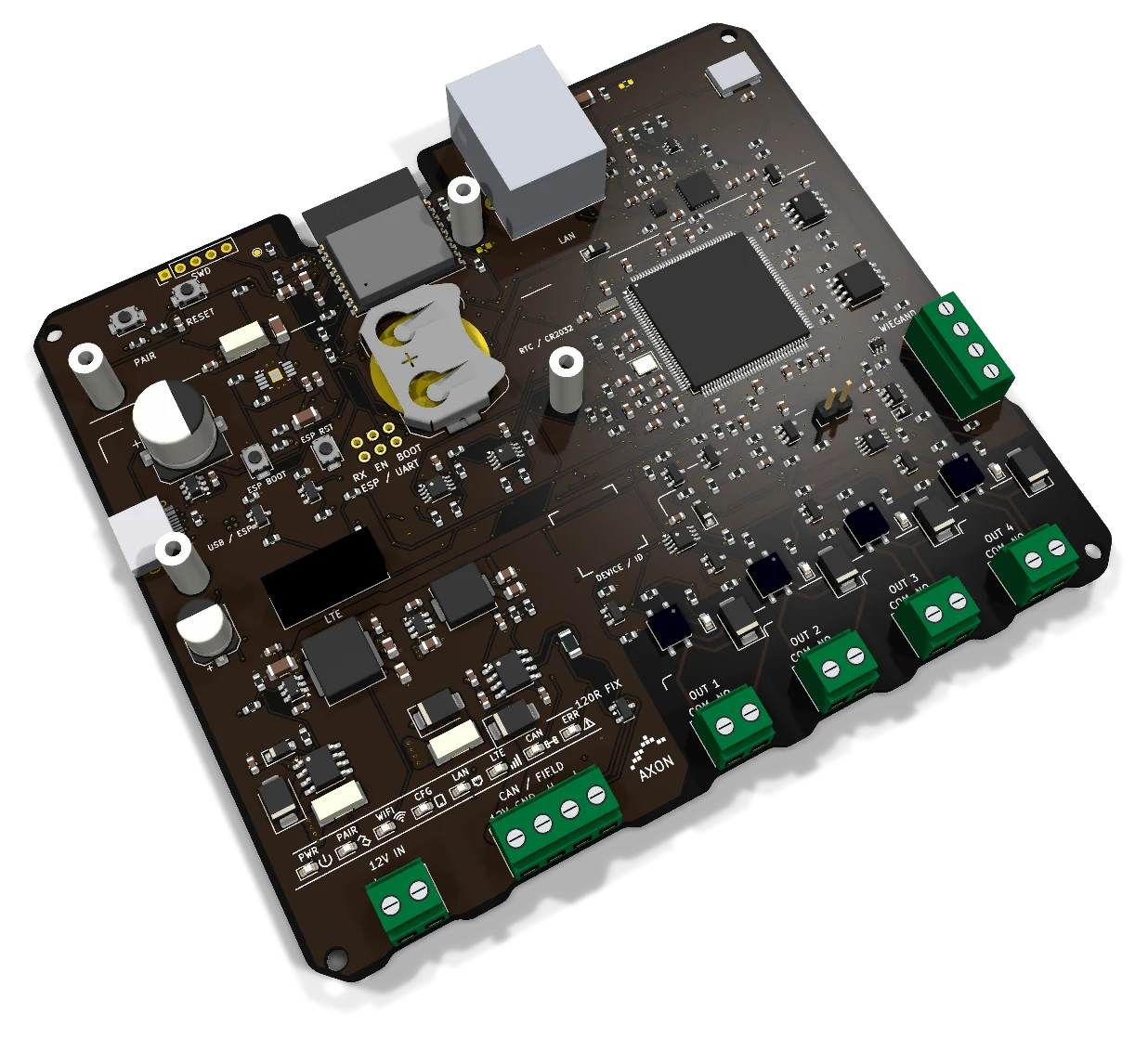
Understanding those roles makes it easier to choose between a controller with many outputs in one cabinet and a modular AXON installation with separate readers and output nodes.
Step 1: define people and permitted areas
Start with the building's use, before choosing the number of relays. Residents, tenants, cleaning staff, visitors and maintenance contractors may require different permissions. List the entrance, garage, shared areas and floors associated with each group.
A credential can be shared across compatible AXON access points while each location applies its own permission. Entering the lobby should not automatically grant every floor. Decide who administers changes, how temporary access ends and what happens when a card is lost.
Step 2: present a compatible RFID credential
A reader provides a clear point where the person presents a card or fob. AXON Reader EV3 is an RFID/NFC reader with an integrated antenna, Classic CAN communication, visual and audible feedback, and a local SSR contact. The card profile and authentication behavior are selected with the firmware configuration.
The older AXON URX-Secure uses an RS-485 connection in its documented arrangement. It is not the same reader as Reader EV3. Neither the term NFC nor the EV3 product name means that every phone or contactless card will work automatically.
Step 3: apply access permission at the controller
The system evaluates the access request against the installed configuration. A recognised credential still needs permission for the requested zone or floor. Authentication, permissions and the validity of a user's access should be documented separately.
Master Lite and Master Premium provide the controller role in modular AXON arrangements. CCU-32 provides the controller role in an arrangement that places many relay outputs in the cabin. The complete behavior depends on the selected devices and firmware, rather than the connector names alone.
Step 4: provide the relevant control signal
There are two common layouts:
| Layout | AXON example | What it means for the project |
|---|---|---|
| Many outputs on one cabin controller | CCU-32 with 32 relay outputs | Floor interfaces are brought to the controller cabinet |
| Master with local contacts and CAN expansion | Master Lite with four SSR contacts and Node8 expansion | Contacts can be distributed according to the panel and wiring plan |
| Separate CAN device branches | Master Premium with two isolated CAN channels | Readers and nodes can be organised across two independent branches |
Node8 provides eight SSR control contacts. One node is not the same as one output, and one output is not automatically one physical door or floor. The electrical input of the controlled equipment determines how the contact is used.
SSR contacts for electronic button signals do not power a motor or a lock. The elevator contractor defines the supported command interface and checks the signal requirements before connection.
Step 5: let the elevator handle the request
The access-control interface authorises the relevant request. The elevator controller then handles travel, door operation and all the conditions required by the elevator. The access system does not replace these functions.
Integration should use the controller's supported access interface and the approved wiring method for the specific installation. A generic diagram cannot establish compatibility with every elevator model. Record the interface mapping so a technician can later identify which output corresponds to which function.
Step 6: report and administer the installation
Ethernet connects the master with the building network. MQTT provides messaging in supported AXON platform configurations. CAN connects compatible local readers and nodes. These roles are related but distinct: connecting Ethernet does not convert a CAN node into an IP device.
The platform can support the administrative workflow around credentials and events according to the configured software. Building maintenance and payment records belong to that workflow; the access PCB is not a payment terminal. If an optional LTE connection is required, plan the host compatibility, SIM, antenna and coverage as part of the installation.
Cabin, landings and the rest of the building
The earlier AXON layout distinguishes a cabin controller from the infrastructure master serving entrances and landings. The modular family adds another option: a master used inside or outside the cabin, with output nodes where more contacts are required.
For example, a project may place a Master Lite near the cabin panel and use Node8 for additional floor signals, while another master manages entrance and garage access. Another project may use a CCU-32 for the cabin and retain existing compatible building modules. These are planning examples, not evidence of a particular completed installation.
The modular architecture supports up to 240 subordinate devices in supported configurations. This figure describes addressable devices, potentially mixing readers and multi-output nodes. The installed capacity depends on the master, protocol, wiring, power and message load. See the modular AXON architecture guide.
What should commissioning check?
Check the complete path with representative users: a permitted floor, an unpermitted floor, the garage, shared areas and any temporary credential rules. Confirm that the output map matches the labels in the administration system.
Check interruption cases separately. Internet loss, a disconnected reader, a missing node and loss of supply are different faults. Local operation can use stored permissions where the configuration supports it, but new permissions and event delivery may depend on connectivity. Record the expected behavior and recovery for the installed system.
Finally, hand over an installation map, device list, card-issue procedure and service contact. These are as useful to the building manager as the number of contacts on the board.
Frequently asked questions
Does a card directly operate the elevator motor? No. The card starts an identification and permission process. The permitted command is passed through the agreed interface to the elevator controller.
Can one master serve more outputs than it has on its PCB? Yes, in a compatible modular configuration. For example, Master Lite has four local SSR contacts and Node8 provides eight additional contacts per node.
Is a master installed outside the cabin unsuitable inside it? No. The modular master can be installed inside the cabin if the project's supply, mounting and interfaces are suitable. The product role is not defined solely by its physical location.
Will access continue during an internet outage? Local operation depends on the selected controller and its stored configuration. Verify that behavior during commissioning; loss of the local device bus or power needs a separate response.