Access control for buildings and elevators

AXON Master Lite Modular access controller

AXON Master LiteRev 0.46Ready for use

AXON Master Lite is a modular access controller for elevators, doors and garages. It brings together four SSR outputs, a reader input, Ethernet and CAN connectivity, with system nodes for expansion.

CAN bus Expand with nodes
Four SSR outputs COM / NO
Ethernet RJ45 port
Wiegand input Reader connection

One compact controller. The building’s key connections in one place.

Access that fits the way you use your building.

One card.
Your spaces.

From the main entrance to an authorised floor. Manage who can enter, where they can go and which spaces they can use.

ElevatorsAccess to authorised floors

One card for each user, with permissions by floor. Choose a cabin controller or a modular master with relay nodes.

DoorsEntrances and shared areas

The main entrance, an office or a technical room. Connect suitable readers and modules to the permissions each user needs.

GaragesManaged access to parking

Define who may enter. The output module connects to the control input of the building’s gate or barrier.

Choose your system architecture
4SSR outputs
COM/NO contacts for button signals
2.4GHz
Built-in Wi-Fi
RJ45
Ethernet connection
CAN
Connections to system nodes
Wiegand
Wiegand reader input
Overview

Access control from the building entrance to an authorised floor

AXON develops access control systems for elevators, doors, shared entrances and garages. The idea is simple: the card identifies the user, and the system configuration determines where they can go. In an apartment building, that might include the main entrance and their floor. In a business, it could mean an office, a warehouse or a staff-only area.

Master Lite is the compact controller in AXON’s modular architecture. It has four onboard SSR outputs, Ethernet, CAN, one Wiegand reader input and 2.4 GHz Wi-Fi, plus a connector for an optional LTE module. Projects that need more outputs or readers can expand through system nodes.

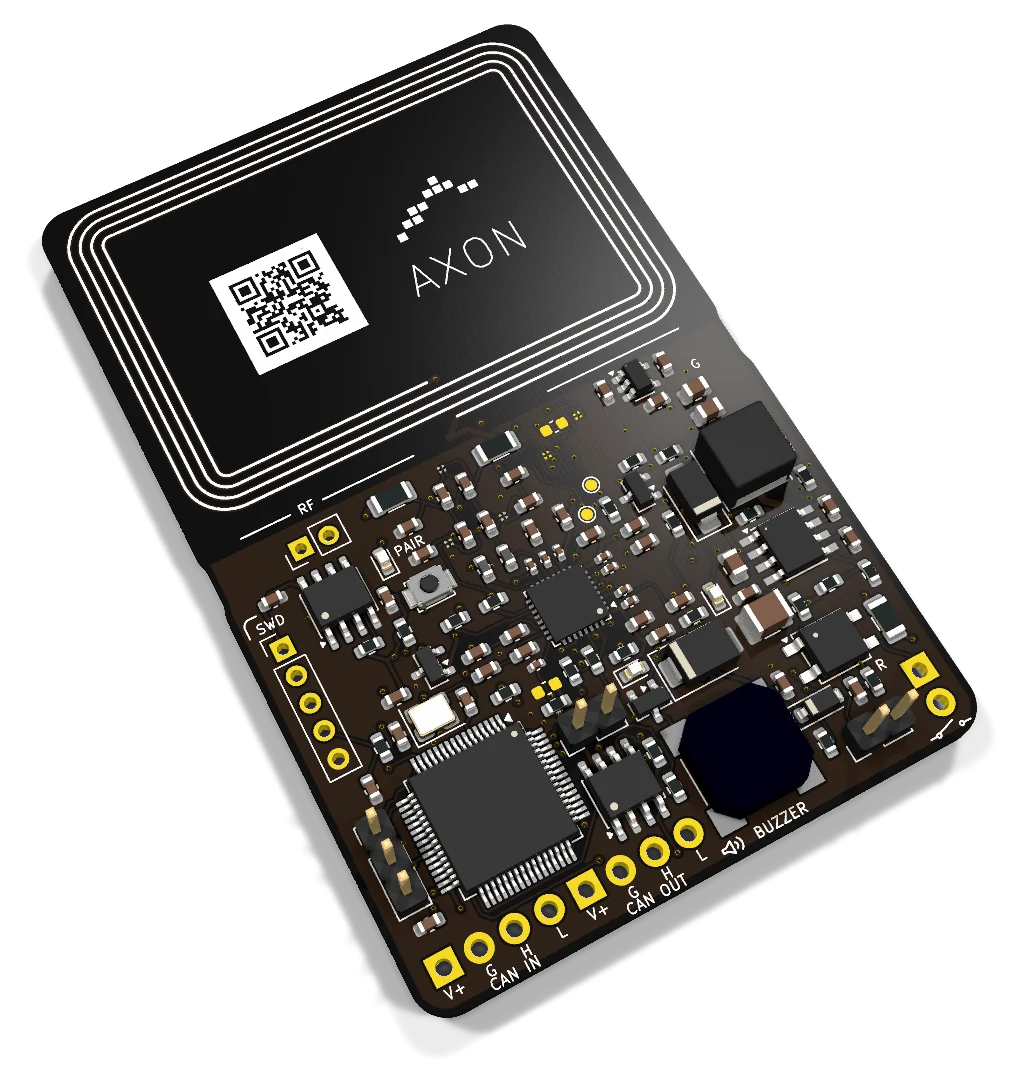
AXON also offers a cabin controller with many relays on one board. With the modular approach, the same master works inside or outside the cabin. A master outside can serve landing readers, entrances, garages and barriers while relay nodes inside the cabin connect to floor signals on the same compatible CAN lines. This reduces the number of board types needed and lets placement follow the building’s cabling.

The team is based in Kosovo, and the system can be planned for international projects. Existing equipment, installation requirements and support needs are assessed for each location. Explore the AXON product family and access control solutions.

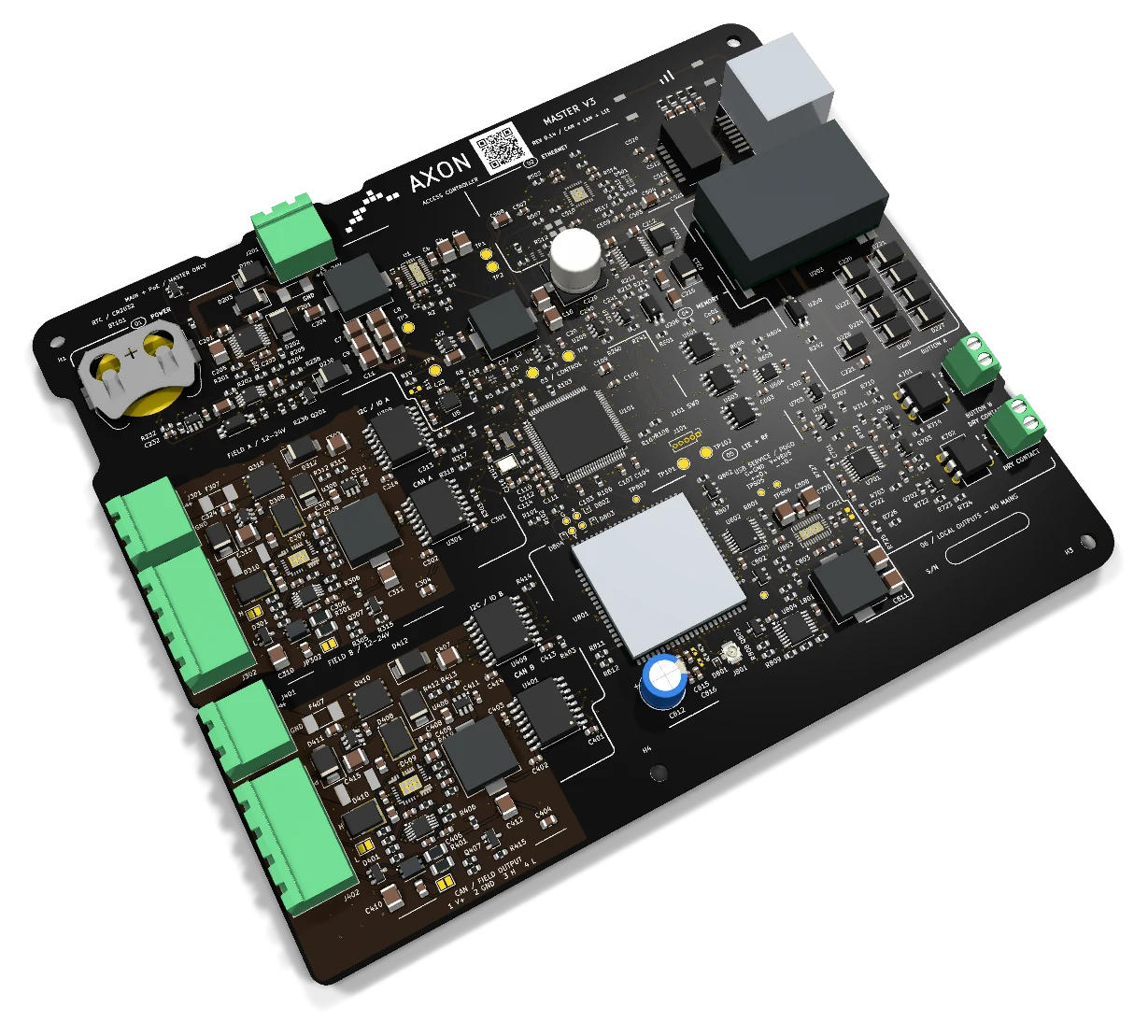
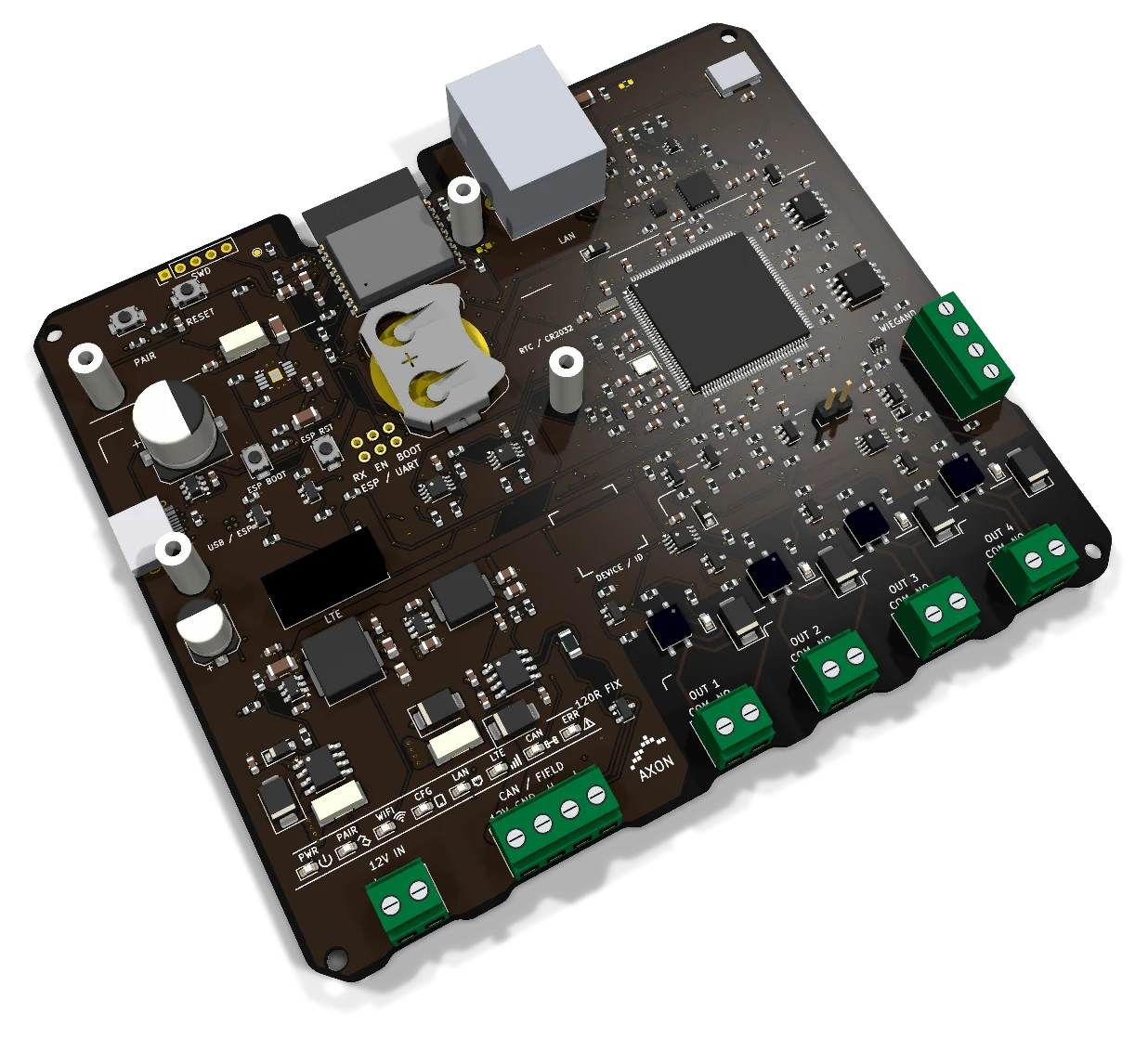
The 3D model shows the actual Rev 0.46 PCB, including its logo and markings. The QR code on the back opens axon-access.com.

Two AXON architectures

Outputs on one board.
Or distributed across nodes.

Start with the building: where the buttons are, where readers will go and how many access points need connecting.

AXON CCU-32 board with two rows of relays and its connectors

AXON CCU-32

Floor outputs in one place

The controller sits inside the cabin, close to the button panel. Its outputs connect to the floor selection signals and are enabled according to the card’s permissions.

Local outputs
32 relays on one board
Location
Close to the cabin panel
Layout
Floor signals brought together in one place
View AXON CCU-32
Angled view of the actual AXON Master Lite board with its four SSR outputs

AXON Master Lite

One master, expandable with nodes

The master has four onboard SSR outputs. It can sit inside or outside the cabin, with output nodes beside the panel and readers at the landing, entrance, garage or barrier. Compatible devices share the same CAN lines.

Local outputs
4 SSR outputs on the master
Location
At an entrance, in a cabinet or in the cabin
Layout
Outputs and readers on separate nodes
Explore the system connections
Board interfaces

AXON Master Lite interfaces

From the reader to the building network, these are the connections available on Master Lite.

Onboard 2.4 GHz Wi-Fi

Built-in 2.4 GHz Wi-Fi connects the master to a wireless network, alongside the Ethernet port for a wired connection.

Ethernet for the local network

An Ethernet cable connects the master to the building network. The RJ45 port connects to the local network switch.

CAN between system nodes

The CAN interface links the master to other nodes, allowing the system to expand with additional outputs and readers.

Four SSR outputs for button signals

Four SSR outputs provide COM/NO contacts for 12–24 V DC electronic signals. They do not power locks and must not connect to mains voltage.

Wiegand reader input

An external reader reads the card and sends its data to the master through the Wiegand input. The reader and its output format are selected for the system configuration.

Optional LTE expansion

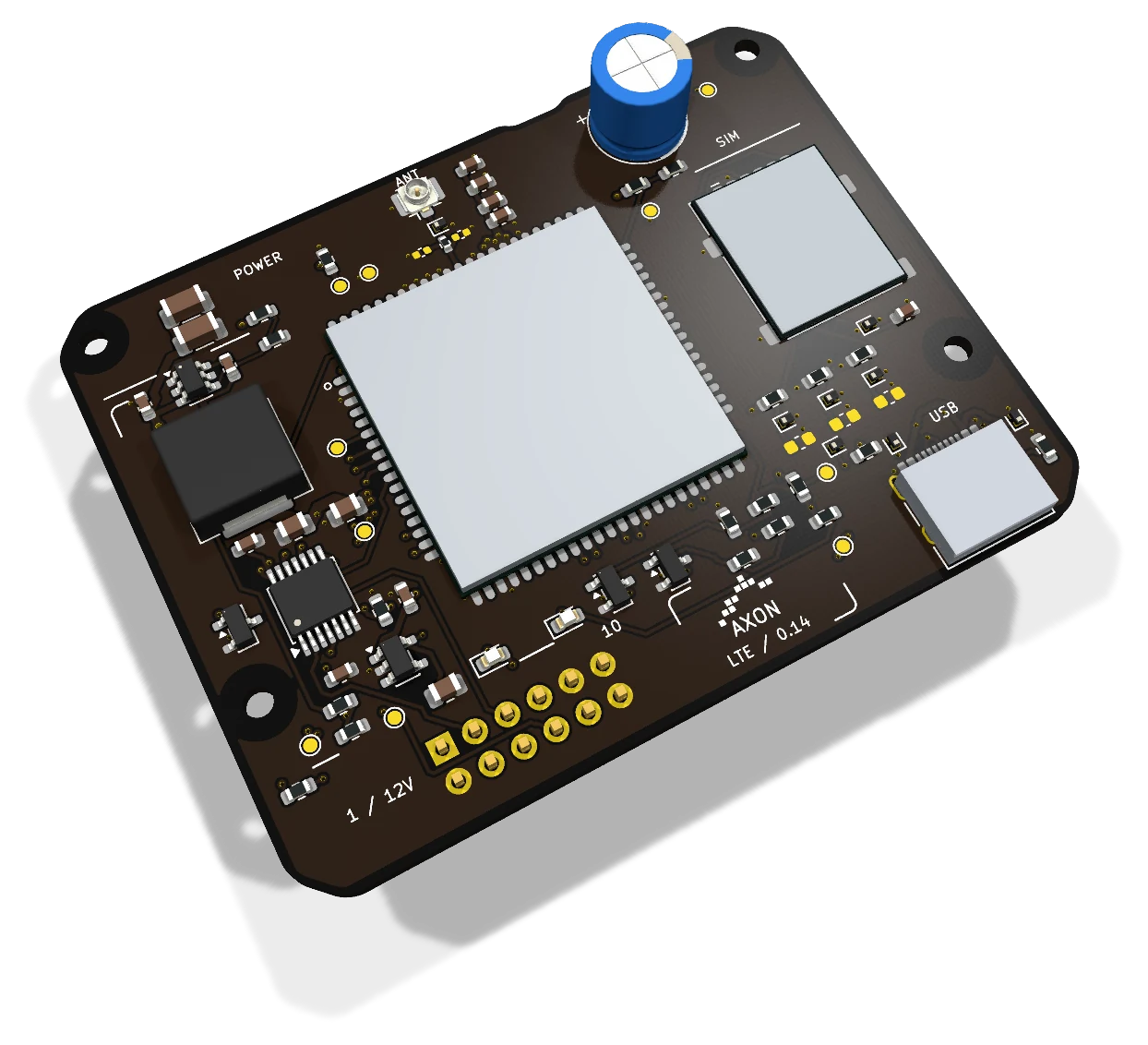
The expansion connector supports an external LTE module when a project requires cellular connectivity. The module is not included on the board.

From card to action

How does RFID card access control work?

The user presents a card. Behind that simple action are the reader, controller, access permissions and the output that signals the connected equipment.

The reader identifies the card

The RFID reader is the device beside a door or elevator panel where a user presents their card or tag. Master Lite has a Wiegand input for receiving data from a compatible reader. It acts as the system controller; the external reader handles radio communication with the card. For the role of each device, see our RFID access control guide.

Selection starts with the card type, reader and communication format. A Wiegand port alone does not guarantee credential security or compatibility with every RFID card. Protection depends on the complete chain, from the card and reader to the controller and its configuration.

Permissions determine where access is allowed

A resident may need access to the main entrance, garage and their own floor. Maintenance staff may need a different set of access points, while a visitor may only need the entrance assigned to their visit. These access rules are defined during configuration, together with user roles and credential validity.

In the AXON architecture, the master makes the access decision. The platform manages data and communication with devices. Network functions, permissions and synchronisation are defined in the installation configuration.

The output sends the authorised signal

In an elevator, an output can interact with the button signal for an authorised floor. For a door or garage, the connection is designed around the equipment’s control input and a suitable output module. Master Lite’s four SSR outputs are for 12–24 V DC electronic button signals; they do not directly power locks, motors or mains-voltage loads.

Installation planning considers the existing signals, wiring arrangement and receiving equipment. Access control authorises use; elevator safety, emergency egress and gate automation functions are handled by the relevant equipment and system design.

Connection architecture

The building network, nodes and cellular expansion

Ethernet, CAN and the LTE connector serve different parts of the master’s connectivity. The choice starts with the building’s infrastructure and the equipment specified for the project.

Local network

Ethernet for a wired connection

The RJ45 port connects the master to the local network through the building’s switch. Planning establishes the master’s position, the network connection point and the cable route. A physical Ethernet connection and access to an online service are separate conditions.

Ethernet · RJ45
System nodes

CAN for bus communication

The CAN interface connects the master to other nodes. Cable topology and termination must suit the master’s position on the bus. Node compatibility and communication are defined for the project configuration. Explore the role of the AXON Node within the product family.

CAN · Expansion through nodes
Optional expansion

LTE through an external module

The board includes a connector for an external LTE module when cellular connectivity is needed. The module is not included. Module selection, power supply, antenna and cabinet placement are addressed during installation planning.

Optional module · not included
Where access control is used

Elevators, doors, garages and shared spaces

Choose the points where you need to manage entry. The master, readers and output modules are arranged around the building’s spaces and equipment.

Elevators · Lift access control

Access to authorised floors

Elevator access control links an RFID card to the floors its user is permitted to reach. In residential buildings, it helps manage access for residents. In offices or hotels, it can separate floors by use. The system can use a cabin controller with multiple relays, or a modular master with expansion nodes.

Start with the existing panel: the number of floors, the signals the buttons expect and the available locations for the reader and controller. Read our elevator access control guide.

Doors · RFID door access

Shared entrances and restricted areas

Door access control uses readers and permissions to determine who may enter an area. It can be planned for the main entrance, offices, storage areas or technical rooms. Cards and access points are organised around users and their responsibilities.

A door installation also needs an assessment of the lock, power supply, exit button and free-egress arrangement. The output module must suit the equipment; a signal output on the master does not replace the lock’s power supply.

Garages · Gates · Barriers

Managed vehicle access

In a shared garage, access rules can be assigned to users who are entitled to enter. The master and nodes are positioned around the readers and control points, taking distances and building infrastructure into account.

Integration uses a suitable control input on the gate or barrier automation system. The motor, sensors and protective functions remain part of that system. Compatibility is confirmed against the equipment model, not simply the number of relays.

Buildings with multiple entrances

One access plan across several points

For a building with several entrances, elevators and garages, planning begins with a map of its access points. Nodes allow readers and outputs to be distributed close to where they are used, while the master retains its central role.

Rather than managing each entrance separately, the plan defines which areas each user group may use. The number of masters and bus segments depends on confirmed system capacity and the available cabling.

Maintenance and services

Access for the teams who look after the building

Administrators, technicians and maintenance companies have different access needs from residents. Project planning defines service cards, the areas staff need to reach and how access is managed, including technical rooms, staff entrances and shared spaces.

AXON connects physical access control with administration in the platform. The platform also includes elevator maintenance records with the technician, status, dates and service notes. These records help track work; they do not replace technical inspections.

Businesses and international projects

Configuration starts with the building

Offices, residential developments and buildings with different user groups often share the same need: to organise entry without issuing keys for every area. The AXON team is based in Kosovo, but the system is not limited to the Kosovo market.

Projects in other countries are assessed for local infrastructure, installation requirements, communication modules and support arrangements. This does not imply automatic certification or availability in every market.

Devices and platform

Building management, payments and system communication

The controller handles the physical side of access. The AXON platform manages user data and administrative processes. They work together, with distinct roles.

Cards, schedules and validity

Each master stores up to 1,000,000 cards. Administrators assign users to entrances, floors, doors, garages and barriers, with schedules and validity periods for each permission. A resident, employee or service team can use the selected points at the times they need them.

Payment deadlines and selected access points

The AXON platform keeps payment records, maintenance history and service validity. Administrators choose which access points are linked to a validity or payment deadline. When that deadline expires, access is blocked at the designated points, and residents receive advance notice on their phones.

The rule can apply to elevator access or a garage entrance without restricting every door in the building. At an emergency exit, only entry may be restricted; escape and emergency release remain free. Payment administration stays in the platform, while the master applies the access rules.

Updates across connected masters in real time

Card, permission and configuration changes are distributed across connected masters in real time. Administrators can also deactivate a selected reader or subordinate node remotely. A remote change requires a working connection to the receiving master and device; a disconnected site receives updates after communication returns.

Encrypted communication, with clear interface roles

Communication between subordinate devices and the master is encrypted, as are the master’s links to cloud services. Ethernet provides the wired network connection, CAN connects local readers and nodes, and MQTT carries system messages. Master Lite also includes Wi-Fi; an optional external LTE module supplies the cellular connection.

The Wiegand input is a separate reader interface and is not an encrypted connection. Its card format and reader compatibility are selected for the installation; the encryption used by AXON’s subordinate-device links does not turn Wiegand into an encrypted bus.

Local diagnostics from a phone

Installers can connect a phone to Master Lite through its supported local Wi-Fi connection or the local network to inspect the master and connected devices. This brings diagnostics to the place where the equipment is installed. Remote administration uses the platform while the system is connected.

See how the complete AXON system works, or discuss your building with the AXON team. We can map readers, relay nodes, schedules and administration to your entrances and existing equipment.

Project budget

Pricing and configuration

Considering AXON Master Lite for your project? Compare economical and Premium configurations, then adjust the budget for elevators, access-controlled landings, doors, garages and credentials.

One-elevator system · inside or outside
100 €+
One-elevator system · inside and outside
200 €+
Cards / tokens · each, wholesale
3 €+

Indicative starting prices for system configurations. Your project quote specifies the selected boards, equipment, installation and services.

Technical specifications

Rev 0.46 interfaces

Controller connections, outputs and interfaces.

Wired connections01

Wired interfaces
EthernetRJ45 port for the local network
CAN1 interface for system nodes
Wiegand1 input for a compatible reader
Wiegand readerCompatible reader with a 12 V supply

SSR outputs02

SSR signal outputs
Quantity4 outputs
ContactsCOM / NO
Application12–24 V DC electronic button signals
LimitationsNot a lock power supply; not for mains voltage

Wi-Fi and LTE03

Wireless connections and expansion
Wi-FiWi-Fi 2.4 GHz
Wi-Fi connectionBuilt into the board
LTEConnector for an optional external module
LTE moduleNot included on the board

Board and servicing04

Revision and service interfaces
RevisionRev 0.46
Master power supply12 V DC; separate from USB-C
USB-CService interface; does not power the master
Stored cards per masterUp to 1,000,000
Addressed subordinate devicesUp to 240 readers and nodes per master
Rear QR codeLink to axon-access.com
Specifications for AXON Master Lite Rev 0.46.Discuss your project connections
Frequently asked questions

Questions about AXON Master Lite

Is AXON only for elevators?
No. The AXON ecosystem covers access control for elevators, doors, building entrances, garages and shared areas. Hardware, readers and output modules are selected to suit the equipment being controlled.
Can the modular master be installed inside an elevator cabin?
Yes. The same master can sit inside or outside the cabin. A master outside can serve landing readers, entrances, garages and barriers as well as relay nodes inside the cabin, through the same compatible CAN lines. Master Lite retains four local SSR outputs, with Node8 adding eight outputs per node.
Does 240 subordinate devices mean 240 relays?
No. Each master supports up to 240 addressed subordinate devices, including readers and output nodes. Node8 has eight SSR outputs; other node variants offer eight or more outputs according to their model. The total number of relays and access points is calculated separately, with cabling, segments and power sized for the installation.
Is Master Lite itself an RFID card reader?
No. Master Lite is a controller. An external reader reads the RFID card or tag and sends data through a suitable interface. This board has one Wiegand input; the card type and reader format must match the firmware.
Does AXON support building maintenance payments?
Yes. The platform records payments and validity periods. Administrators choose which points are blocked when validity or the payment deadline expires, and residents receive advance phone notifications. The master applies the selected access rules. At emergency exits, restrictions apply to entry only; escape and emergency release remain free.
Can AXON be planned for projects outside Kosovo?
Yes. Kosovo is the team’s location, not a geographical limit on the system. International projects are assessed for infrastructure, installation requirements, compatibility and support. Certification and availability are confirmed for the relevant product and market.
What is AXON Master Lite?
AXON Master Lite is an access controller with Ethernet, CAN, one Wiegand input, four SSR outputs and 2.4 GHz Wi-Fi. The board also has a connector for an external LTE module.
What is the difference between Ethernet and CAN on this board?
Ethernet connects the master to the building’s local network through the RJ45 port. CAN connects it to system nodes for additional outputs and readers. The interfaces serve different roles and are planned separately in the installation wiring.
What reader connects to the Wiegand input?
A compatible external Wiegand reader with a 12 V supply. The card type, reader format and installation connections are defined for the system configuration. AXON helps select a suitable reader for the project.
Do four SSR outputs mean control of four doors?
Not automatically. These are four COM/NO outputs for 12–24 V DC electronic button signals. Their number alone does not determine how many doors or access points the installation can manage. The outputs do not power locks and must not connect to mains voltage.
What Wi-Fi connectivity does Master Lite have?
Master Lite has onboard 2.4 GHz Wi-Fi. Network settings and services depend on the system configuration. The board also has an RJ45 Ethernet port for a wired network connection.
Is an LTE module included with Master Lite?
No. The board has a connector for an optional external LTE module. The module, antenna and firmware integration are selected for the project. Network connection behaviour is defined in the system configuration.
Can USB-C power the master?
No. USB-C is a service interface. The master requires its own 12 V supply; USB does not power the board, readers or LTE module.
How many cards does Master Lite store?
Each master stores up to 1,000,000 cards. Administrators assign schedules, validity and permitted access points to users. Card capacity is separate from the number of readers, nodes or relay outputs.
Can a selected reader or node be deactivated remotely?
Yes. The administrator can deactivate a selected reader or subordinate node through the platform. The receiving master and device must be connected for the command to arrive.
How are permissions updated across several masters?
The platform distributes card, permission and configuration changes to connected masters in real time. A disconnected master receives remote updates after communication returns.
Can I use a phone for local diagnostics?
Yes. Connect through Master Lite’s supported local Wi-Fi connection or the local network to inspect the master and its connected devices. The connection used depends on the master model; this does not imply Wi-Fi or Bluetooth on every AXON board.
Let’s talk about your project

Plan your access control with AXON

Tell us how many entrances, floors, doors or garages your project includes, how the building is managed and what equipment is already installed. Together, we can define the architecture, nodes and platform connection for projects in Kosovo and beyond.

Back to the 3D view